
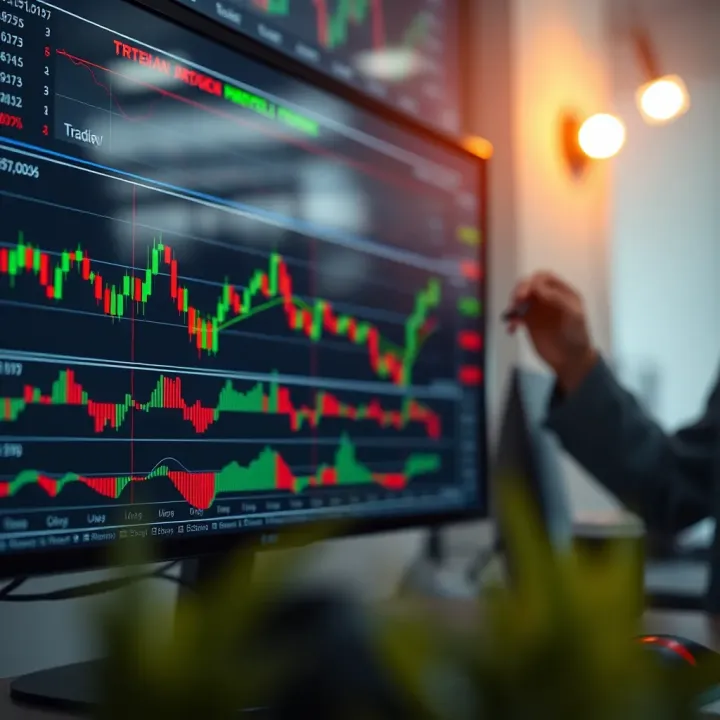
Using Deriv and TradingView Together: A Trader's Guide
Explore how to combine Deriv and TradingView for smarter trading in Kenya 🇰🇪. Learn to use chart tools, technical analysis, and manage trades better 📈💼.
Edited By
Charlotte Mitchell
If you're trading on Deriv and want clearer, more detailed charts, integrating TradingView is a smart move. TradingView offers advanced charting tools familiar to many traders worldwide, including those in Kenya. It provides rich features like multiple chart types, extensive technical indicators, and custom scripts that go beyond Deriv’s standard offerings.
This combination lets you use Deriv's reliable trading environment side-by-side with TradingView’s visual and analytical power. You gain better insight into market trends, price movements, and potential entry or exit points.
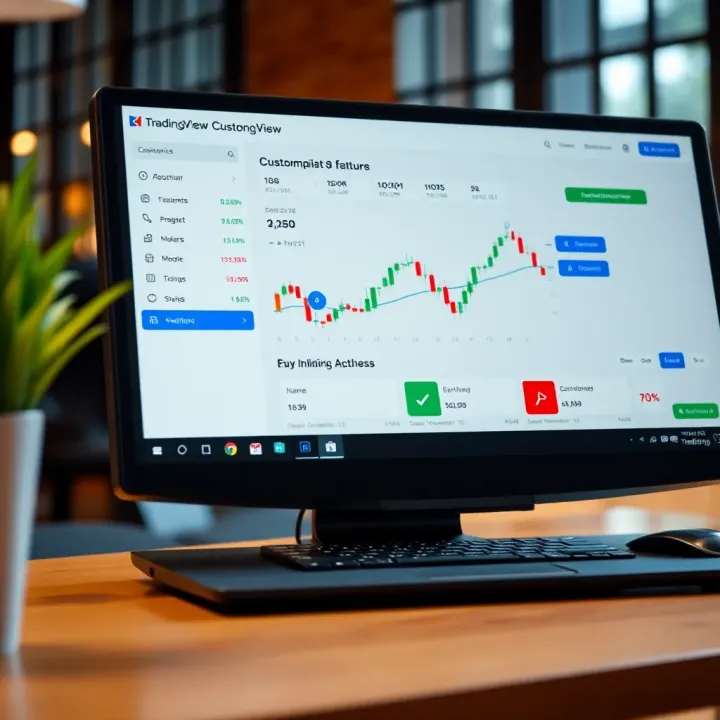
Using TradingView charts on Deriv gives you a sharper edge, turning raw data into actionable visuals that can improve your trading decisions.
Setting up TradingView on Deriv is straightforward. You don’t need to be a tech expert to get started, just follow simple steps to embed TradingView charts within your Deriv interface. Plus, you can customise everything from candle colours to indicator overlays, tailoring your charts to match your trading style.
This guide teaches how to set up and optimise TradingView on Deriv, with practical tips relevant to Kenyan traders. Whether you’re trading forex, cryptocurrencies, or synthetic indices, pairing these platforms equips you with clearer insights and a smoother trading experience.
In the sections ahead, you will find easy instructions, examples of customisation, and advice on avoiding common pitfalls that traders often face when switching between platforms.
Get ready to boost your trading visuals and make the most of both Deriv and TradingView for your next trade.
Understanding what TradingView and Deriv each bring to the table is essential when looking at how to combine them for a more powerful trading experience. This section highlights their individual strengths and explains why putting them together benefits traders in Kenya and beyond.
TradingView is widely recognized for its advanced charting capabilities and wide range of technical analysis tools. It offers dozens of chart types, including candlesticks, Renko, and Heikin Ashi, making it easier to spot trends. For instance, a trader following forex pairs like USD/KES can apply volume indicators or moving averages to time their entries better. It also supports custom scripting through Pine Script, letting traders build their own indicators or automate alerts.
The platform’s social community is another advantage. Traders share strategies, publish ideas, and discuss markets, offering valuable peer knowledge—from a Nairobi-based investor analysing NSE stocks to someone tracking commodities. These features combine to create a flexible environment that suits both beginners and seasoned traders aiming for precision.
Deriv is popular for its simplicity and accessibility, especially in emerging markets like Kenya. It offers a broad asset range, including forex, synthetic indices, and cryptocurrencies. One standout feature is the availability of multiple account types tailored to different risk levels and investment styles. For example, a new trader might start with a demo account on Deriv to test strategies using synthetic indices before committing real money.
Its user interface is clean, with straightforward execution of trades and built-in tools such as options trading and multipliers. Deriv also integrates payment methods familiar to Kenyan users, including M-Pesa, which eases funding and withdrawals without fuss.
While Deriv handles the trade execution side smoothly, it lacks the depth of charting and analysis that TradingView provides. Combining the two means a trader can use TradingView’s detailed studies and custom alerts to identify good trade opportunities, then swiftly act within Deriv’s platform.
For example, a trader tracking the performance of BTC/USD might use TradingView to spot a breakout on a daily chart with RSI and volume indicators. Then, they can open a corresponding position on Deriv without hopping between too many platforms. This seamless use of strengths helps improve reaction times and decision quality, especially in volatile markets.
Pairing TradingView’s superior analytical tools with Deriv’s streamlined trading experience creates a setup that gives Kenyan traders a competitive edge without unnecessary complexity.
This practical combination makes it easier to manage trades, backtest strategies, and stay alert to market changes—all key to trading success in today's fast-moving environment.
Preparing adequately before integrating TradingView charts into your Deriv platform is essential. This ensures a smooth setup, reduces technical hiccups, and allows you to make the most of both tools in your trading activities. Whether you trade forex, commodities, or indices, being well-prepared means quicker access to real-time data and better charting capabilities, which can sharpen your decision-making.
To start, you need active accounts on both platforms. Deriv requires you to have a verified trading account. Verification usually includes identity confirmation with relevant Kenyan identification such as a National ID or passport and proof of residence. This process aligns with KRA (Kenya Revenue Authority) and CBK (Central Bank of Kenya) regulations ensuring your trading is compliant.
On the other hand, TradingView demands at least a basic account to access its charting tools, though a Pro or higher subscription offers more indicators and faster updates. For Kenyan traders, upgrading might be worth it, especially if you want to monitor markets like Nairobi Securities Exchange (NSE) or international markets more closely.
Also, confirm that your internet connection is reliable. Interrupted sessions can cause loss of key data or delay alerts, which may affect trading decisions. Many traders in Nairobi and other towns rely on fibre-optic connections or 4G mobile broadband. It's wise to have a backup connection, like mobile data, whenever possible.

You’ll need a device capable of handling both platforms comfortably. A laptop or desktop with at least 4GB RAM and a modern web browser (Google Chrome, Firefox, or Microsoft Edge) is ideal. TradingView and Deriv both have web interfaces that run with minimal installation, but desktop apps or mobile apps can ease access.
Additionally, ensure your browser is updated to support modern web technologies like WebSocket and HTML5, which both platforms use for real-time chart updates and order execution. Kenyan traders often face interruptions when using older versions or less common browsers.
If planning to use mobile notifications, install the TradingView and Deriv apps on your smartphone. In Kenya, where mobile use is high, this can help you stay informed on the go. Set up push notifications for price alerts or order executions to remain responsive.
Taking care of these requirements upfront saves you from frustrating disruptions and helps your trading run smoother. With the right account status and technical setup, integrating TradingView on Deriv becomes a practical step rather than a hassle.
In summary, verify your Deriv and TradingView accounts, ensure strong internet connectivity, update your software, and get familiar with the devices you’ll trade on. This groundwork prepares you for the technical steps ahead and helps you trade confidently.
Implementing TradingView charts on your Deriv platform can seriously enhance your market analysis and trading decisions. This step-by-step guide breaks down the process to ensure you get everything set up correctly without headaches. Whether you're new to trading or a seasoned investor, connecting these two systems lets you combine TradingView's powerful charting tools with Deriv's trading features seamlessly.
The first step is to link your TradingView account with Deriv. Start by logging into both platforms. On Deriv, navigate to the integrations or applications section under your account settings. Here, you’ll find an option to connect third-party services like TradingView.
To authenticate, you’ll need to provide your TradingView username and API key or token. You can find this key under your TradingView profile settings — usually in the developer or API access area. This connection allows Deriv to embed your TradingView charts dynamically, keeping your data and analyses synced.
For example, say you want to track the NSE 20 share index. Once connected, any adjustments or indicators you apply on TradingView will show up live on your Deriv trading interface.
After linking accounts, embedding TradingView charts on Deriv is quite straightforward. Deriv supports embedding through widgets or iframe tags, usually accessed via the platform’s chart settings or trading workspace.
Choose the asset you want to trade on Deriv, then insert the TradingView widget URL or select the embedded chart option if provided. The charts load directly within the Deriv platform, letting you view price movements, patterns, and technical indicators without switching tabs.
For instance, if you’re trading forex pairs like USD/KES, having a live TradingView chart in the same window is a big time saver. You can apply several indicators like RSI or Bollinger Bands and spot opportunities faster.
At times, the integration may not work smoothly due to several reasons. A common issue is API key mismatch or expiry, which prevents data syncing between platforms. Always check that your TradingView API key is current and correctly entered on Deriv.
Another problem is browser compatibility. Deriv functions best on updated browsers like Google Chrome or Mozilla Firefox. Clear your cache or try a different browser if charts aren’t loading.
Sometimes, network restrictions or security settings on your device or office may block embedded charts. In such cases, try connecting from another network or disable strict firewalls temporarily while trading.
Remember, successful integration hinges on the accuracy of your credentials and having a stable internet connection. Most problems arise from simple errors that are easy to fix.
If problems persist, referring to both TradingView and Deriv help centres or contacting support teams is a good practice. With this guide, setting up and maintaining your TradingView charts on Deriv should be a smooth ride that supports smarter trading decisions.
Customising your TradingView charts when using Deriv offers a strong edge to traders aiming for sharper market insights. Tailoring charts helps you focus on what matters most to your strategies and the unique dynamics of markets you're interested in, especially for local Kenyan assets or forex pairs. Without the right tweaks, even the clearest data can look overwhelming or miss crucial details.
Indicators are at the heart of technical analysis and TradingView provides a rich library of these. You can add moving averages to smooth out price data or use the Relative Strength Index (RSI) to spot overbought or oversold conditions. For example, Kenyan traders watching forex pairs like USD/KES might apply Bollinger Bands to visualise volatility shifts during daily market hours. Drawing tools like trendlines or Fibonacci retracements can help identify support and resistance zones, which is particularly handy when charting NSE-listed stocks like Safaricom or Equity Bank. Use these tools to mark breakout levels and potential reversal points to time your trades better.
Adapting your chart settings to reflect local market conditions ensures your analysis stays relevant. Set the chart’s time zone to East Africa Time (EAT) so the candlesticks align with Kenyan trading hours, avoiding confusion during busy periods. Also, tailor the display to preferred chart types—candlestick charts offer detailed pricing action, but line charts might suit more straightforward trends. Adjust colour schemes to improve visibility in different lighting, especially if you trade on mobile during matatu commutes or late evenings. Additionally, consider setting up charts to filter out lower-volume assets, focusing your attention on liquid markets like agricultural commodities or forex pairs relevant in Kenya.
Once you create personalised charts with your choice of indicators, drawing tools, and settings, saving these layouts is essential. TradingView allows you to store multiple templates, so you don't lose your ideal setups when switching between assets or devices. For instance, keep one template optimised for NSE equities with specific moving averages and volume indicators, and another for forex with RSI and MACD. This saves time and maintains consistency across trading sessions. You can quickly load your preferred templates on Deriv, ensuring you hit the ground running without having to rebuild your environment every day.
Customising TradingView charts on Deriv helps you slice through noise and focus on signals that matter. With the right indicators, time settings, and saved templates, your trading becomes both smarter and more efficient, fitting seamlessly into your routine whether you’re analysing from a laptop at home or on your phone in Nairobi’s hustle.
Maximising trading efficiency by combining TradingView with Deriv can sharpen your decision-making and improve your market outcomes. This blend gives you robust charting tools alongside a reliable trading platform, helping you act promptly on opportunities. In Kenya's fast-moving markets, where timing is everything, optimising how you use these tools can bring practical benefits.
Before risking your money, testing a trading strategy is essential. TradingView allows you to simulate strategies against historical data—known as backtesting—to see how they might have performed. On Deriv, you then apply these tested strategies in real-time markets with confidence. For example, if your strategy involves reacting to RSI (Relative Strength Index) signals, TradingView can show you when these signals triggered past trades, allowing you to refine your entry and exit points.
Besides improving accuracy, backtesting can highlight weak spots in your plan, saving you from costly mistakes. Kenyan traders can use this to adapt strategies to local market peculiarities, such as price movements during Kenyan public holidays or market rhythms seen in NSE trading sessions.
Alerts are a simple but powerful feature to keep you ahead without staring at the screen all day. TradingView integrated with Deriv lets you set customised alerts based on price action, indicators, or drawing tools. For instance, you can get a message on your phone when the USD/KES pair crosses a key level or when a Moving Average convergence happens.
This approach helps busy traders and investors who juggle other commitments. Instead of missing critical moves because of a boda boda ride or a meeting, you receive instant notifications. Alerts reduce reaction delays, allowing swift trades that better capture market swings.
Setting precise alerts means you no longer miss out on profitable trades while away, which is vital in Kenya's often volatile currency and commodity markets.
In Kenya, where many rely on mobile devices for internet access, having TradingView and Deriv seamlessly connected on your phone is a big plus. Both platforms offer mobile apps that synchronise your charts, trading strategies, and alerts across devices.
This setup means you can track markets while on the move—be it a matatu ride through the city or at a nyama choma joint after work. Having real-time notifications about trade signals or account updates keeps you engaged and ready. Plus, this mobility supports traders outside Nairobi, who may depend more on mobile connectivity than fixed offices.
Overall, harnessing TradingView's analytical power with Deriv's flexible trading options enables a more responsive and efficient approach. Traders gain tools to build, test, and act on informed ideas rapidly, adapting to market shifts with less stress and more precision.
When using TradingView alongside Deriv, securing your accounts and data must be a priority. Currency markets and derivatives trading involve real money, making these platforms prime targets for cyber threats. Taking basic and practical security measures can protect your investments and personal information from common risks.
The first line of defence is safeguarding your trading accounts on both TradingView and Deriv. Use strong, unique passwords that combine letters, numbers, and special characters. Avoid passwords related to your personal details such as birthdates or phone numbers. Enable two-factor authentication (2FA) wherever possible. This adds an extra layer of protection by requiring a code sent to your mobile or generated by an authenticator app during login.
Regularly review your account activity for any unfamiliar logins or trades. Deriv and TradingView usually provide security settings to alert you of suspicious access. For example, if you notice a login location or device you don’t recognise, immediately change your password and update your security preferences. Also, avoid staying logged in on public or shared computers commonly found in internet cafes or offices, as these can be easily compromised.
Both platforms collect data for service improvements and compliance with regulations. However, understanding what data they use and how it is stored is critical. TradingView shares charting and analysis data which might include personalised indicators or historical trading activity. Deriv holds sensitive personal details for account verification and transaction history.
Kenyan traders should always ensure they read and understand the privacy policies of these platforms, to know how their data is handled. For instance, some users opt not to link their TradingView and Deriv accounts if they prefer limiting shared data. Use secure internet connections—avoid public Wi-Fi without a virtual private network (VPN)—to prevent interception of your sensitive data.
Phishing is one of the most common threats causing account breaches. Criminals often pose as Deriv or TradingView support via email or social media, urging you to click suspicious links or disclose login details. Always access accounts directly via official websites or trusted mobile apps. Never share your passwords or verification codes.
Another risk is using outdated software and devices. Keep your mobile phone, tablet, or PC’s operating system and applications updated to patch known vulnerabilities. For example, an outdated browser could expose your sessions to hijacking when accessing Deriv’s or TradingView’s online services.
Finally, beware of third-party plugins or charting tools not officially approved by TradingView or Deriv. These might contain malware or spy on your account activity. Stick to platform-approved tools and trusted sources.
Proper account security, awareness of data privacy, and vigilance against scams will help you protect your trading capital. This means you can focus on analysing charts and executing trades with confidence.
By following these practical measures, Kenyan traders can create a safer setup when integrating TradingView with Deriv, preserving both their money and peace of mind.
Explore how to combine Deriv and TradingView for smarter trading in Kenya 🇰🇪. Learn to use chart tools, technical analysis, and manage trades better 📈💼.
Integrate TradingView's advanced charts on Deriv easily 🖥️. Step-by-step setup, customisation tips, and solutions for a smoother trading experience on this popular Kenyan platform.
📈 Learn how Kenyan traders can combine TradingView with Deriv to sharpen decisions, manage risks effectively, and trade smartly within local regulations. 🇰🇪

📈 Explore how Deriv TradingView gives Kenyan traders clear market analysis and trading tools. Learn to trade smartly, manage risks, and improve your results today!
Based on 10 reviews