

How to Transfer Money from Sticpay to M-Pesa in Kenya
📲 Learn how to transfer money from Sticpay to M-Pesa in Kenya easily. Follow clear steps, check transaction fees, avoid common issues & save time sending KSh securely.
Edited By
James Carter
Withdrawing KSh 5,000 from M-Pesa is a common activity that many traders, investors, and entrepreneurs perform daily. Understanding the cost involved helps you manage expenses better and avoid surprises during transactions. Unlike withdrawing cash from banks, M-Pesa fees depend on the amount transferred, withdrawal method, and sometimes even the agent's location.
M-Pesa charges a transaction fee every time you withdraw funds from an agent, ATM, or bank-linked service. For KSh 5,000, the typical fee is straightforward but varies slightly depending on where and how you choose to withdraw. For instance, cash withdrawals at a Safaricom M-Pesa agent usually attract a fixed fee set by Safaricom, which currently stands at KSh 65 for amounts between KSh 1,000 and KSh 5,000.
Alternatively, withdrawing via an M-Pesa-enabled ATM often costs a bit more—around KSh 75 to KSh 85 per withdrawal of KSh 5,000. These fees cover the ATM company charges plus Safaricom’s processing fees. Plus, some banks impose additional costs if you use an ATM outside their network, so it's wise to check before withdrawing.
Remember: Agents in peri-urban or rural areas might charge slightly higher fees to cover their operational costs. So, a withdrawal fee could vary between roughly KSh 65 and KSh 85.
Here are key points to keep in mind about withdrawing KSh 5,000 from M-Pesa:
Withdrawal fee: Typically KSh 65 with Safaricom agents for KSh 5,000.
ATMs: Fee ranges between KSh 75 and KSh 85, depending on the bank.
Withdrawal limits: M-Pesa allows daily withdrawal limits up to KSh 70,000 per day, so KSh 5,000 is well within limits.
Agent availability: Not all agents have enough float (cash) all the time, especially in remote areas.
Knowing these charges helps you plan your cash flow smartly. If you withdraw frequently, the fees add up, and using bank transfers or Lipa Na M-Pesa can be handy alternatives for payments without incurring withdrawal costs. For traders and investors, especially when handling many transactions daily, managing withdrawal fees can shave off unnecessary expenses and improve your bottom line.
Smart management means checking agent fees, using preferred ATMs, and keeping track of the daily withdrawal limits to stay efficient and cost-effective.
Understanding M-Pesa withdrawal fees is essential for anyone who frequently handles cash through this mobile money platform. Knowing these fees helps you avoid surprises and plan your transactions better. For example, when withdrawing KSh 5,000, being aware of the costs allows you to gauge whether it's more economical to cash out in one go or split it across multiple transactions.
M-Pesa charges a transaction fee whenever you withdraw cash, usually varying with the amount being withdrawn. For smaller amounts, the fee is often fixed and relatively low. For instance, withdrawing KSh 100 or KSh 200 might attract a nominal fee, often under KSh 30. However, for amounts like KSh 5,000, the charges tend to be higher but capped within a certain range to keep costs manageable for users.
The fee structure for withdrawals is tiered, meaning that larger amounts attract higher fees, but these don't scale linearly. For example, a withdrawal of KSh 1,000 may cost KSh 27, but withdrawing KSh 5,000 would have a fee that is not simply five times that amount—it is typically capped or charged at a flat rate for that tier to prevent excessive deductions. This makes it more cost-effective to withdraw larger sums less frequently rather than smaller amounts many times.
Withdrawing cash from an M-Pesa agent is the most common and straightforward method, but fees can vary depending on the agent’s location and their own policies. Urban agents might have standard M-Pesa fees, while some rural agents add small surcharges. Alternatively, withdrawing directly from your linked bank account using M-Pesa may incur different fees, sometimes lower, since it often involves bank transfer charges besides M-Pesa fees. You need to compare these carefully depending on your preferred withdrawal point.
M-Pesa also supports withdrawals via certain ATMs and integrated mobile wallets. ATM withdrawals usually have an extra bank charge on top of the M-Pesa withdrawal fee, making it less cost-effective for small amounts. Mobile wallets linked to M-Pesa accounts may offer the option to move money without fees between wallets, but withdrawing as cash eventually attracts standard M-Pesa charges. Knowing which channel suits your needs and budget can help you save on withdrawal costs.
Being mindful of where and how you withdraw cash from M-Pesa empowers you to manage your money better and avoid unnecessary fees. This understanding is especially important for traders and entrepreneurs who often move significant sums on a daily basis.
Understanding the typical cost involved in withdrawing KSh 5,000 from M-Pesa is vital for anyone managing finances through this popular mobile money service. Knowing the fees upfront helps traders, entrepreneurs, and investors budget properly and avoid surprise charges, which can eat into profits or personal funds. This knowledge also aids in comparing different withdrawal methods and selecting the most cost-effective option.
M-Pesa withdrawal fees can be either fixed or percentage-based, depending on the amount and service provider rules. For smaller amounts, like KSh 5,000, the fees are often fixed or follow a capped structure that ensures costs don't become unreasonable. This is practical for regular users who need to withdraw set amounts frequently without worrying about fees escalating.
On the other hand, percentage-based fees apply more typically for larger transactions or certain withdrawal channels. In such cases, users pay a fraction of the withdrawn amount, making the fee scale with the withdrawal size. However, since KSh 5,000 is a mid-range amount, illustrations of fixed fees tend to be more relevant.
Current M-Pesa tariff schedules show that withdrawing KSh 5,000 at an agent usually attracts a fee of around KSh 55 to KSh 65. This range accounts for minor differences depending on the agent’s location and their fee policies. Safaricom’s published tariffs serve as a reliable guide, but users should always double-check with their agent to avoid unexpected extra charges. This predictable fee makes it easier for users to plan expenses accurately.
Withdrawal fees may vary depending on the agent’s location or the type of withdrawal point. For example, agents in major urban centres like Nairobi or Mombasa often have different transaction fee policies compared to those in rural or peri-urban areas. In some cases, agents may add a small convenience fee on top of the standard charge, reflecting differences in operating costs or competition levels.
Apart from location-based variations, special promotions or fee adjustments by Safaricom can temporarily reduce or change standard withdrawal fees. For example, during festive seasons or economic slowdowns, M-Pesa might run fee waivers or discounts to encourage cash flow. Traders and businesses should keep an eye on these changes to benefit from lower charges or avoid higher fees during off-peak adjustments.
When withdrawing KSh 5,000, always ask your agent about any additional charges or current promotions. This helps you avoid surprises and pick the best withdrawal moment.
In summary, while the typical withdrawal fee for KSh 5,000 is relatively stable, factors like agent location and ongoing promotions can cause slight shifts. Being aware and asking questions before withdrawing ensures you get your money without paying more than needed.
Knowing exactly how to withdraw KSh 5,000 from M-Pesa is vital for managing your cash flow efficiently. Whether you are a trader needing ready cash for daily stock purchases or an entrepreneur paying staff, understanding the withdrawal options and processes helps you avoid unnecessary delays or charges.
Finding a nearby agent is the first step when you want to withdraw directly from an M-Pesa agent. Safaricom’s website and various mobile apps offer agent locators showing outlets close to your location. You can also ask around locally; agents are usually found near busy shopping centres, markets, and petrol stations. Having a reliable agent nearby speeds up service and reduces travel time and transport costs.
Once you find an agent, the process from initiating the withdrawal to receiving cash is straightforward. Start by going to the agent and informing them you want to withdraw KSh 5,000. Using your mobile phone, open the M-Pesa menu, select 'Withdraw Cash', and enter the agent's till number followed by the amount. After confirming the transaction with your PIN, the agent receives a prompt and hands you the cash. Always ensure your phone has network coverage as transactions depend on real-time confirmation to prevent delays or disputes.
Another convenient way is linking M-Pesa with your bank account, which lets you transfer funds between M-Pesa and your bank. Banks such as KCB, Co-operative Bank, and Equity offer this service. Once linked through mobile apps or USSD codes, you can send KSh 5,000 from M-Pesa to your bank and then withdraw cash from your bank account at any branch or ATM. This option works well if your preferred bank branch is nearby or if you want to save on agent withdrawal fees.
Withdrawing via M-Pesa ATMs offers even more flexibility. These ATMs accept M-Pesa withdrawals using just your mobile number and PIN, eliminating the need for a bank card. They are often found in malls or major towns where Safaricom has partnerships with financial service providers. While ATM fees might be slightly higher than agent fees, they provide quicker access to cash, especially when agent queues are long or when you want to avoid carrying large sums for safety reasons.
When withdrawing KSh 5,000, pick the option that balances convenience, cost, and accessibility based on your location and urgency. Agents are usually cheaper, but ATMs and bank-linked withdrawals offer safer alternatives in some cases.
Withdrawal limits on M-Pesa are key in managing how much cash you can take out in a day or per transaction. These limits protect both the user and the financial system from fraud and misuse, while also guiding how you plan your transactions.
M-Pesa sets clear daily and per-transaction withdrawal limits to keep transactions secure and manageable. Usually, users can withdraw up to KSh 70,000 in a single day, but this depends on the type of account and verification level. For a typical user, one transaction can be up to KSh 35,000, meaning you may need to split a larger withdrawal into two or more transactions.
For instance, if you want to withdraw KSh 5,000, you’re well within the usual limits. However, if you're dealing with amounts closer to the maximum, like KSh 70,000 or above, knowing these thresholds is important to avoid transaction failures or unexpected delays.
The limit levels are mostly calibrated based on your KYC (Know Your Customer) registration status. This verification determines how much trust Safaricom places in your account.
M-Pesa users with full KYC registration—meaning they've submitted full identification documents—enjoy higher withdrawal limits. Such users can withdraw as much as KSh 70,000 daily and may process larger single transactions. This is because stricter KYC reduces the risk of fraud and money laundering.
On the other hand, M-Pesa accounts with minimal KYC verification have lower withdrawal ceilings, sometimes capped at KSh 35,000 per day. For entrepreneurs and investors frequently moving large sums, upgrading KYC is a practical move to ease cash flow without hitting these limits constantly.
If your withdrawals regularly exceed daily or transactional limits, splitting your cashouts into smaller amounts helps. For example, instead of attempting to withdraw KSh 100,000 in one go—which is beyond typical limits—you can break it into two or three transactions over a couple of days. This approach avoids penalties or failed operations.
However, splitting transactions too frequently can cost more in fees, so it’s wise to plan your withdrawals with costs in mind.
Upgrading your M-Pesa account is the best way to manage larger or more frequent withdrawals smoothly. Safaricom allows users to upgrade by submitting national identification for full KYC compliance. With a fully verified account, you access higher daily limits and often benefit from quicker processing times. This upgrade is especially useful for business owners and investors handling regular large sums on M-Pesa.
Knowing your withdrawal limits and how to navigate them saves time, avoids extra fees, and ensures your business transactions flow without hiccups.
Understanding these limits gives you control over your finances when using M-Pesa. It helps you plan cash withdrawals smartly, avoiding surprises and maximising efficiency whether you’re a trader, broker, or entrepreneur managing daily cash needs.
Reducing withdrawal costs can save you a good amount over time, especially if you frequently take out cash from M-Pesa. Understanding how to navigate fees and choosing the right channels helps protect your wallet. This section outlines practical ways to keep those charges low while managing your money smoothly.
Checking agent fee policies
Not all M-Pesa agents charge the same fees. Some agents, especially in busy urban centres like Nairobi or Mombasa, might add a small markup on top of the standard M-Pesa withdrawal fees to cover their operating costs. It pays to ask around or check posted fees before withdrawing. For example, an agent near a matatu stage might be tempted to charge a bit extra, whereas agents in quieter shopping centres often stick to official rates. Knowing these differences helps avoid paying more than necessary.
Using bank-linked withdrawals when cheaper
Some banks linked to M-Pesa accounts offer lower fees for transferring money from M-Pesa to bank, and subsequently withdrawing at the bank’s ATM or teller. For instance, KCB and Equity Bank customers can move funds via M-Pesa and use the bank’s withdrawal points which might charge less than standalone agents. However, this convenience depends on your proximity to such a bank and its withdrawal fees. If you live near a bank outlet with affordable rates, using bank-linked withdrawals could be a better option in the long run.
Avoiding unnecessary small withdrawals
Withdrawing very small amounts often leads to paying the same fixed fees multiple times, which eats into your money. For example, withdrawing KSh 500 three times a day might cost you more in total fees compared to one withdrawal of KSh 1,500. To reduce costs, try consolidating smaller withdrawal needs into fewer, larger transactions. This approach is especially key for traders managing daily cash flow.
Bulk withdrawals to save on fees
Pulling out larger sums less frequently tends to lower your overall transaction costs. Suppose you withdraw KSh 5,000 once a week rather than KSh 1,000 five times; you pay one transaction fee instead of five. Businesses and entrepreneurs with predictable cash requirements can plan their withdrawals accordingly. That said, keep security in mind – carrying too much cash has risks. Balance bulk withdrawals with safety to manage costs efficiently.
In short, becoming savvy about where, when, and how often you withdraw cash from M-Pesa directly influences the fees you pay. Regularly review your withdrawal habits and explore cheaper channels like bank-linked options to keep more of your hard-earned KSh in your pocket.
📲 Learn how to transfer money from Sticpay to M-Pesa in Kenya easily. Follow clear steps, check transaction fees, avoid common issues & save time sending KSh securely.
Learn how to withdraw funds from Deriv to M-Pesa in Kenya with clear steps, requirements, tips and how to avoid common hurdles for a smooth transfer 💸📲
Discover how to link PayPal and M-Pesa in Kenya for easy payments 🇰🇪. Get tips on logging in, fees, security, sending money, and overcoming common challenges.
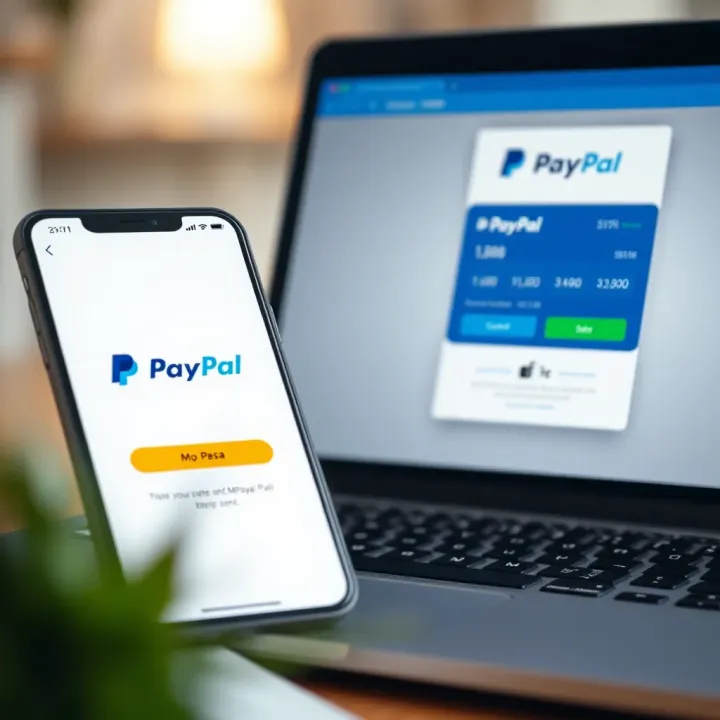
Link your M-Pesa with PayPal 💳 for smooth international payments. Learn step-by-step how to transfer funds, handle fees, and stay secure when sending money abroad.
Based on 8 reviews